Your product works, but every change feels dangerous: simple updates take weeks, and someone has suggested starting over. This guide helps you choose between improving the software, replacing it piece by piece while it keeps running, or rebuilding it — based on business need, not on how the code looks.
Somewhere in a roadmap meeting, someone will say the codebase should be thrown away and rewritten. It will sound clean and decisive. Whether it is right depends on evidence — this guide explains how to tell.
When your software starts fighting you, the instinct is to ask: should we rewrite it? Ask instead what the system is costing the business — that answer determines the first.
First, write down the business symptoms. The ones that justify action are concrete: changes that should take days take weeks, because nobody is sure what breaks next; deployments are rare and feared; only one or two people understand critical parts; the framework is past its supported life, a security exposure; or the roadmap is blocked: what the business needs next cannot be built on this foundation.
What does not justify a rebuild: the code looks old-fashioned, or a developer calls the codebase “a mess”. Spolsky’s 2000 essay is the classic warning: developers condemn inherited code too quickly, because reading code is harder than writing it — and much of the apparent mess is accumulated bug fixes, corrections for edge cases found in real-world use. His examples are polemical, not research; but old code has been used and tested, and replacing it means rediscovering knowledge nobody wrote down.
First, the old system does not freeze: requirements keep arriving, and the new system chases a moving target. Fowler: “we’ve seen this simple-sounding plan go down in flames most of the time” — a serious replacement takes a long time, and users cannot wait for new features.
Second, the old system contains behaviour nobody remembers specifying. A rebuild must re-learn it, and missed rules become regressions your customers discover. Spolsky’s Netscape example is the caution: his April 2000 essay appeared as Netscape 6.0 entered its first public beta — no 5.0, nearly three years after 4.0 — time in which, he argues, competitors took the market while Netscape rewrote its browser. Not all old behaviour deserves preserving, though: old systems also carry obsolete requirements and defects. Identify the behaviour the business still needs, and test for it — do not recreate every historical rule.
Third, a big-bang delivery delays production benefits from the replacement until cutover. Richardson’s contrast: an incremental approach delivers value as soon as the first piece goes live, while a big-bang rewrite delivers no value until the very end — and, in his experience, is likely to take longer than planned. The old system does not stop meanwhile: it stays in production, receiving needed updates. So during development you may run two implementations at once: two codebases to maintain, every change coordinated across both.
Improve the system in place. Refactoring means changing the code’s internal structure without changing what the system does — untangling the worst areas so it is easier to understand and safer to change. Two kinds of supporting work are not refactoring themselves: adding tests around the riskiest workflows; and upgrading dependencies in steps — related maintenance work. It works best when the platform has a supported upgrade path, the pain is concentrated in a few areas, and the data model is sound.
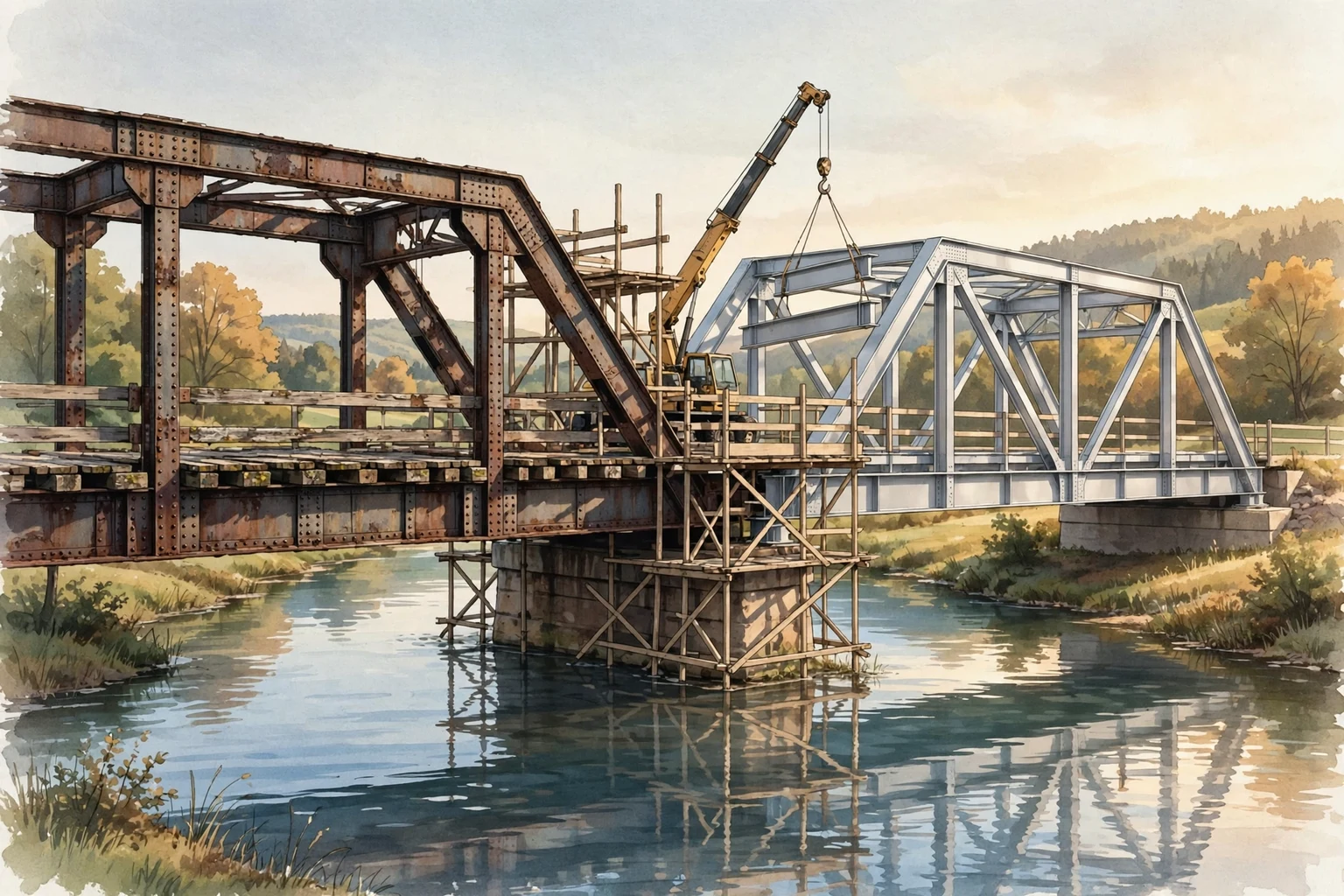
Replace it piece by piece while it keeps running — the middle path. Martin Fowler’s “strangler fig” approach — after the vine that grows around a host tree — builds the new system alongside the old one and migrates functionality gradually. A façade (a routing layer) intercepts requests and routes each to the old application or the new parts, so customers keep using the same interface. When all has moved, the old system is decommissioned. The pieces need not be microservices — modules or subsystems work too, sized to the system’s real boundaries.
Fowler is candid about the costs: transitional architecture — code built so the two systems can coexist, then thrown away — in exchange for gradual investment and returns. Richardson notes that modifying ancient legacy applications can be difficult, and that the true requirements often only reveal themselves as you go. But gradual does not mean risk-free, and no step is automatically reversible. It works when old and new can be separated at suitable boundaries; when data stays consistent across both and migrates cleanly; when each replacement is verified before traffic switches to it; and when a tested fallback exists. Some changes still need a planned maintenance window; some — a one-way data migration — make rollback harder, not easier.
Rebuild the system as a whole: replace the application rather than improving it in place. It is sometimes the right answer (see below). But separate two decisions: how much you replace, and how you deliver the replacement. Replacing everything does not have to mean building to completion then making one switch — the new system can be released in stages while the old one keeps running. What it creates is a period with two implementations at once — the cost of maintaining both, and of coordinating changes across them, until the old one retires.
Do not choose by instinct. Use these five questions to compare the options against evidence: they will not decide for you, but they show where each option is strong or weak, and what you still do not know.
1. What does the next year need from this system? If the roadmap is mostly new features, spend effort where they land. If it is blocked, say exactly which parts block it.
2. Can changes be made and released safely? How often do you deploy, how often do releases cause incidents, can tests be added around critical flows? If so, improving in place is viable; if not, replacement in slices gains ground.
3. Is the platform supported? An unsupported framework is a security exposure and a hiring liability. But “upgrade the framework” and “rewrite the application” are different projects — do not let the first be sold as the second.
4. Is the data model sound? A coherent data model means the foundations are workable. A broken data model — one that cannot represent what the business needs — is a serious argument for replacement, because everything else is built on it.
5. Who understands the system, and for how long? If critical knowledge lives in one person’s head, capturing it through documentation and tests comes before any path you choose.
If you cannot answer these from evidence, that is itself the finding: commission a small, bounded technical assessment first: an audit of workflows, database, dependencies, and risks turns unknowns into a plan you can budget. Ask what incremental work cannot fix, and require pause points where you can stop without a broken half-system. Buying information before construction is the theme our pricing-models guide develops.
There are cases where starting over is the honest choice: the platform is end-of-life, with no sensible upgrade path, and the application is fused to it; the architecture cannot support what the business needs next; or the system is small and understood well enough that a bounded rebuild is cheaper than surgery.
Microsoft’s guidance agrees: the pattern is not suitable when requests to the old system cannot be intercepted, when its source code or integration points cannot be accessed, when the system is small enough to replace whole, or when the original must be decommissioned quickly.
Even then, deliver the replacement in stages where you can: bring each rebuilt part into service against the live system, keep the old one running until the new one is proven, and agree each stage’s fallback in advance. Protect the data above all — and preserve the behaviour the business needs, not every rule the old system encodes.
Ask for specifics tied to business consequences: which changes went wrong, which are slow and why, what cannot be tested. As the Spolsky discussion above notes, a first impression of a “mess” is weak evidence — insist the judgement rest on incidents, not taste.
Often, yes — the gradual approach keeps the old system serving customers while pieces are rebuilt beside it, in stages. But it is not guaranteed. It depends on conditions: boundaries where old and new can be separated, data kept consistent while both run, each replacement verified before traffic moves, and a tested fallback if a step fails. Some changes — a one-way data migration, for example — still need a planned maintenance window, or make rollback harder.
Fowler’s point is uncomfortable: legacy systems become rigid because the thinking and processes that produced them made them so, and without changes to practices and organisation, “the new systems will end up in a similar mess.” So change how the software is built: tests around critical flows, dependencies kept current, knowledge written down. That ongoing discipline is what our guide to software maintenance after launch is about.
These sources were read in full on 21 October 2026 (Asia/Karachi) and informed this article. Vendor-published claims are labelled as such.
Strangler Fig — Martin Fowler, martinfowler.com (published 22 August 2024; expands his 2004 “Strangler Application” post). Gradual modernisation, transitional architecture, and the organisational-change point.
Strangler Fig Pattern — Microsoft, Azure Architecture Center (last updated 2 June 2026; Microsoft-maintained). Façade mechanics, anti-corruption layer, when the pattern is not suitable. Vendor-published.
The Strangler Fig application pattern: incremental modernization to microservices — Chris Richardson, microservices.io (posted 2023-06-21). Discovery, incremental value vs big-bang, early feedback.
Things You Should Never Do, Part I — Joel Spolsky, joelonsoftware.com (published 2000-04-06). His Netscape account — written as the first public beta of Netscape 6.0 appeared — the Borland and Microsoft examples, and the “old code carries bug-fix knowledge” argument; cited as opinion, not neutral research.
Rewrite or Refactor a Legacy Application? How to Decide — Aqib Javaid, dev.to (published 2026-10-15). Practitioner guide; closest competing source (see RESEARCH.md). Not peer-reviewed.
The question is never really “rewrite or refactor.” It is: what is this system costing us, what evidence do we have, and which path fits that evidence while the business keeps running? If you are weighing this, our project cost calculator gives an indicative cost and timeline range from your scope and complexity — a useful starting point. Or talk to us, and we will help you think through which path fits.
Product Delivery
Software Maintenance After Launch: What It Actually Includes
What software maintenance really covers after launch: bug fixes, patching, monitoring, backups, SLAs, pricing models, and what to get in writing before you agree.
Read moreSaaS Development
SaaS Data Security Basics for Startups: What Founders Should Get Right Before Launch
What founders should get right before launch: tenant data separation, per-request authorisation, login protection, secrets, webhook verification, backups, and audit records — based on OWASP guidance and Stripe docs.
Read moreAI Solutions
Is Your AI Feature Actually Working? How to Measure AI Performance After Launch
Your AI feature impressed in the demo. Here is how founders define what “working” means and measure it continuously against real usage.
Read moreReady to review scope for AI, SaaS, web, mobile, or automation work?