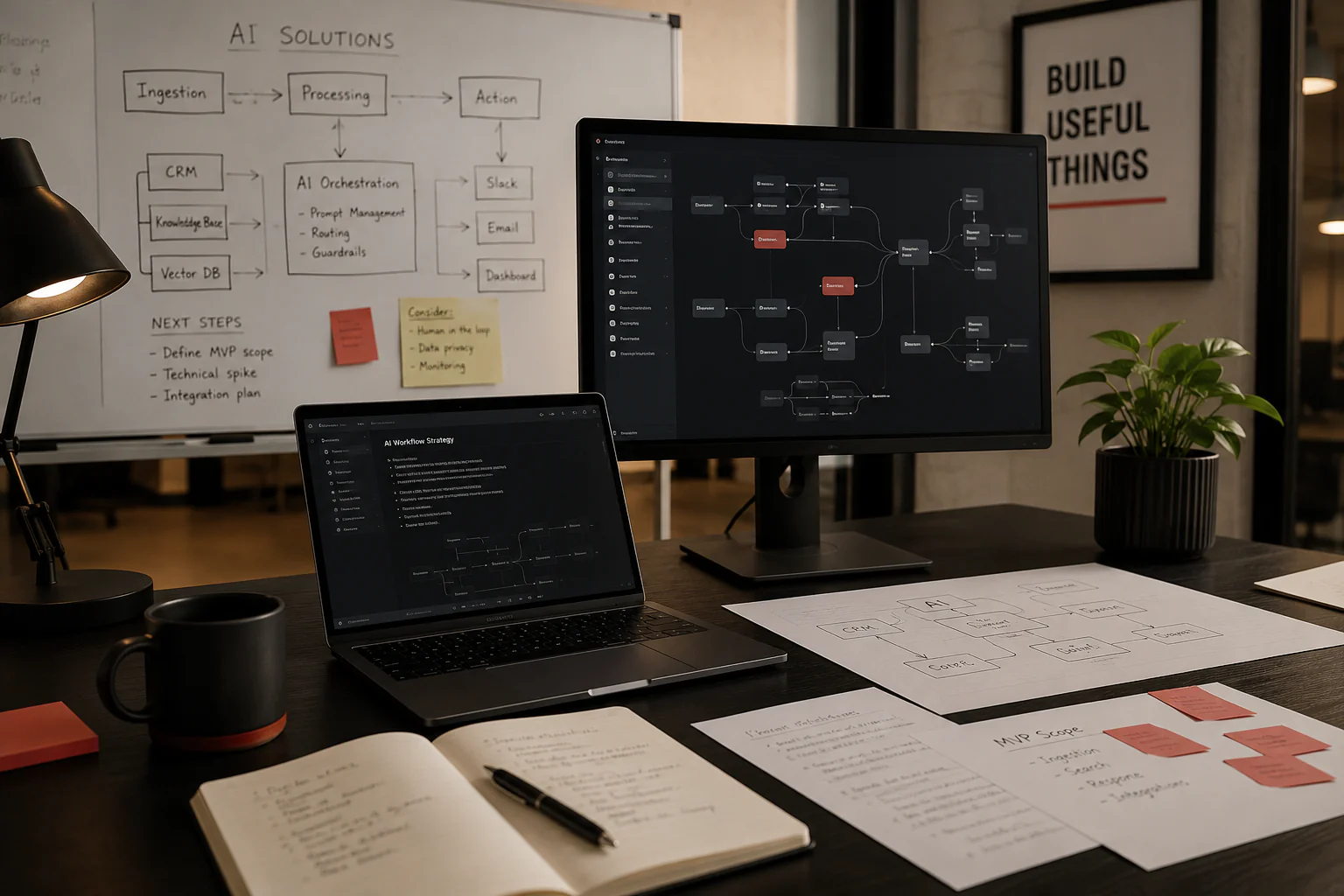
A practical AI solution starts with a real workflow problem, not with a model choice. For startups and growing businesses, AI solutions for startups should remove repeatable manual work, improve decision support, or add product features users will rely on — with data, integrations, and human review planned before build begins.
A practical AI solution starts with a real workflow problem, not with a model choice. For startups and growing businesses, AI solutions for startups should remove repeatable manual work, improve decision support, or add product features users will rely on regularly.
The useful question is not whether to use AI, but which problem AI can handle reliably with the data and integrations you already have—or can obtain without months of prep work. AI solutions planning focuses on workflow fit, data readiness, and adoption before engineering investment.
A real AI use case has a defined workflow owner, clear inputs and outputs, and a way to measure whether the system is helping. Map one workflow end to end: what triggers it, what decisions happen, what gets produced, and who handles exceptions.
If you cannot describe the workflow in concrete steps, the use case is not ready for build. Discovery should clarify the problem before model or vendor selection.
Internal copilots help teams search policies, product docs, or operational notes and draft responses based on approved sources. Document and search assistants connect to the right repositories, respect permissions, and return answers with traceable references so users can verify outputs.
AI can classify, route, or enrich data inside automation workflows—for example, tagging inbound requests, extracting fields from forms, or preparing drafts for human approval. Lead and support triage systems help teams prioritize messages, suggest categories, and surface context from CRM or ticketing tools when rules and handoff paths are explicit.
Reporting assistants can summarize operational data, highlight anomalies, and prepare recurring updates for leadership. They work best when metrics are already defined and source systems are stable.
Customer-facing AI can power semantic search, personalized recommendations, conversational support, or post-purchase assistance. These features need guardrails, logging, and fallbacks designed around your product's risk profile—not only model capability.
AI is usually not the right first answer when the use case is unclear, the data is inconsistent, or the team has no way to measure whether the system is helping. Avoid AI when:
Part of practical AI planning is identifying simpler alternatives—including automation or process changes—when AI is not the right tool.
These terms are often used interchangeably, but they describe different levels of system behavior. Choosing the right one keeps scope realistic.
AI features are capabilities embedded in a product—classification, summarization, semantic search, or drafting assistance—that respond to a user action or system event. They usually have a defined input, output format, and UI context.
AI automation applies models inside a workflow to route, enrich, or transform data without a user initiating each step. The automation layer should define what happens when confidence is low and which steps require human approval.
AI agents combine language models with tools, policies, and multi-step decision paths to handle tasks that span systems—such as policy-aware post-purchase support or automated issue resolution with defined guardrails. Agents require clearer orchestration, logging, and fallback design than single-step features.
Enterprise post-purchase platforms such as Narvar illustrate customer-facing agentic AI in a defined domain: delivery promises, tracking, returns, exchanges, claims automation, and agentic support through systems such as IRIS and NAVI. That level of scope assumes mature integrations, policy rules, and operational visibility—not a generic chatbot added to a landing page.
Most startups do not need a custom model. They need a reliable integration between a language model API and their existing product: authentication, data access, logging, and user-facing interfaces.
Custom AI development makes sense when AI must live inside your software—not only as a strategy exercise—when compliance or data handling rules require tighter control, or when off-the-shelf tools cannot connect to internal systems cleanly.
Retrieval-augmented generation (RAG) means the system searches approved sources first, then uses a language model to compose an answer grounded in those sources. This pattern works well for internal knowledge bases, product documentation, and support content where answers must be traceable.
A useful RAG workflow includes indexing rules, permission-aware retrieval, citation or reference display, and a fallback when no relevant source is found. Without those pieces, users receive confident but unsupported answers.
Internal automation is often the best first AI project because the audience is your team, the feedback loop is short, and review paths are easier to enforce. Examples include classifying inbound requests, extracting fields from forms, drafting responses for approval, and summarizing operational reports.
Sendmatico, an iCodeLTD-owned cold email outreach SaaS, illustrates workflow-oriented product design: campaign scheduling, automated follow-ups, sender mailbox rotation, reply detection, and unified inbox management. While not an AI product itself, it shows how operational workflows—triggers, rules, and handoffs—must be defined before automation scales.
Customer-facing AI features directly affect trust, support load, and brand perception. Plan for visible fallbacks, clear disclosure where appropriate, and human escalation paths. Features such as conversational support, semantic product search, or personalized recommendations should launch with logging and quality review—not as unmonitored experiments.
Post-purchase AI experiences—delivery visibility, returns and exchange assistance, claims handling, and policy-aware automation—require integration with order, shipping, and policy systems. That is a product engineering problem as much as a model problem.
Before development starts, list the systems AI must read from or write to: CRM, support desk, billing, internal databases, file storage, or third-party APIs. For each source, confirm who can access it, how fresh the data is, and whether exports or APIs are available.
Off-the-shelf tools are a good fit when your workflow matches the product closely and integration needs are light. Custom AI makes more sense when your data model, permissions, or product experience require tighter control inside your own application.
A pilot should solve one workflow for one user group. Keep the scope narrow: a single intake channel, one document type, or one reporting view. Set a short timeline, define acceptance criteria, and agree on what success looks like before expanding.
iCodeLTD helps startups and growing businesses figure out where AI adds real value, design workflows people can actually use, and plan adoption that fits existing operations, data constraints, and compliance needs.
The AI Solutions service covers use-case discovery, workflow design, and adoption planning. When AI needs to live inside your product, AI Development covers LLM integrations, retrieval workflows, agent-style features, guardrails, and maintainable application architecture. Workflow automation that does not require models can be scoped through Automation Solutions.
Typical process steps include discovery and scope, workflow or technical planning, implementation, validation and launch, and iteration as requirements evolve. You receive a clear scope for next steps— which may include AI Development, Automation Solutions, or internal rollout—depending on what discovery reveals.
Start with one repeatable workflow: document the steps, confirm data access, define success criteria, and build a narrow pilot with human review. Internal automation and retrieval-based assistants are often the fastest paths to value.
AI automation applies models inside a defined workflow to classify, route, or enrich data. AI agents combine models with tools and multi-step decision paths to handle tasks across systems, requiring stronger orchestration, policy rules, and fallback design.
Use existing tools when your workflow matches the product and integrations are light. Build custom AI when the feature must live inside your product, when data handling rules require tighter control, or when off-the-shelf tools cannot connect to your systems cleanly.
You need inputs relevant to the workflow—documents, tickets, CRM records, product data, or operational logs—and clarity on access, freshness, and retention. Not every use case requires perfectly structured data, but every use case requires a confirmed source and fallback when data is missing.
Scope one workflow, one user group, and one success metric for the first release. Avoid agents and multi-system orchestration until a simpler feature or automation step works reliably with logging and review in place.
iCodeLTD can review business goals, data constraints, and workflow fit through AI Solutions discovery, then define a practical scope for AI Development, Automation Solutions, or internal rollout. Discuss your AI idea to review workflow fit, integration needs, and delivery approach.
If you have a workflow in mind, use the project cost calculator to explore scope categories, then book a strategy call to pressure-test your plan before engineering starts.
SaaS Development
How Much Does It Cost to Build a SaaS App in 2026?
SaaS app development cost guide: iCodeLTD projects start from $5,000, with lean MVPs often $5,000–$15,000. Timelines, rates, and cost drivers.
Read moreProduct Delivery
iCodeLTD vs Upwork: Which Is Better for Startup Software Development?
iCodeLTD vs Upwork for startup software development: when a founder-led product team beats a freelance marketplace listing.
Read moreProduct Delivery
iCodeLTD vs Fiverr: What Founders Should Know Before Building an MVP
Compare iCodeLTD vs Fiverr for building a startup MVP. Learn when to choose a founder-led software team and when a freelance marketplace may be enough.
Read moreReady to review scope for AI, SaaS, web, mobile, or automation work?